Make allows Formgic to connect with thousands of apps and automate your workflows. When someone submits a form, Formgic can automatically send the form data to Make, where you can process it using a scenario
How to Get a Webhook URL from Make
Step 1: Create a New Scenario
- Log in to your Make account.
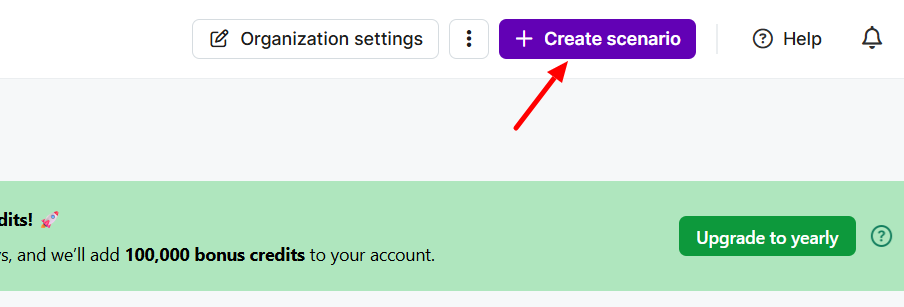
- Click Create a new scenario.
Step 2: Add a Webhook Module
- Click the + button.
- Search for Webhooks and select it.
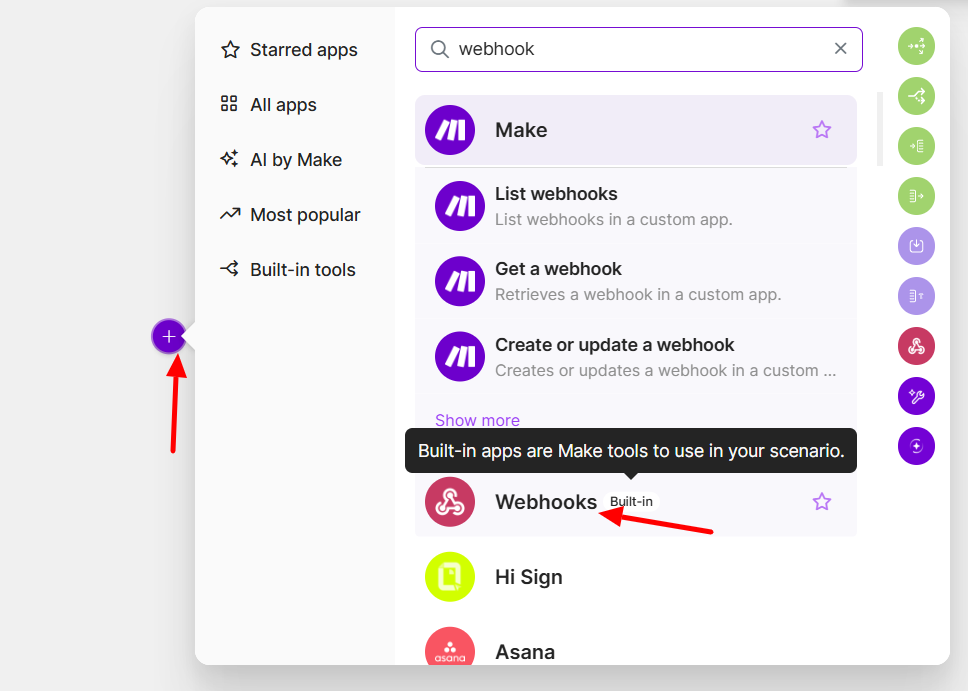
- Choose Custom Webhook.
- Click Add.
- Click Create a webhook and enter a name for your webhook (for example, Formgic Webhook).
- Click Save.
- Make will generate a Webhook URL.
- Click Copy address.
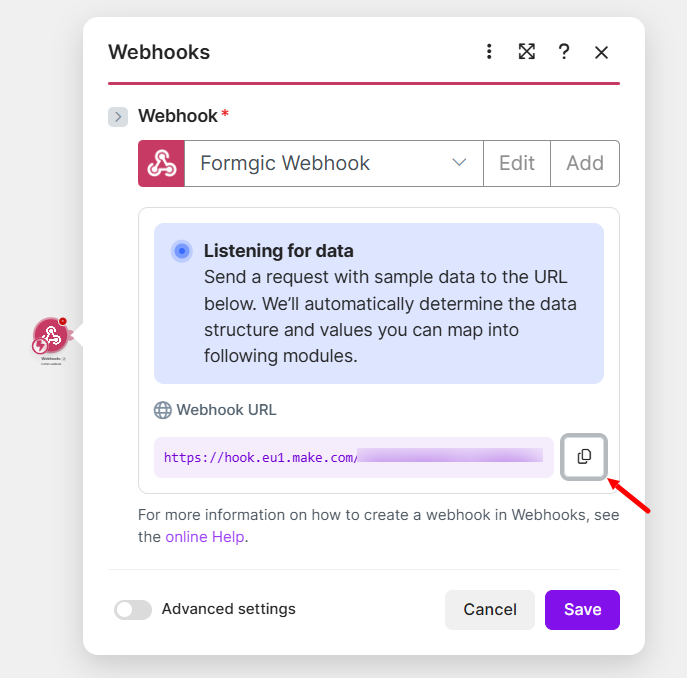
9. Paste the copied Webhook URL into the Webhook URL field in Formgic.
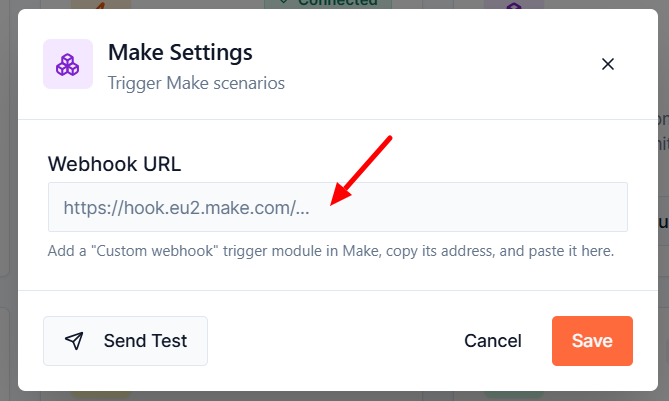
Send Test
Click Send Test to verify that the webhook is configured correctly and that the test data is successfully received by your Make scenario.
Using the Make Block
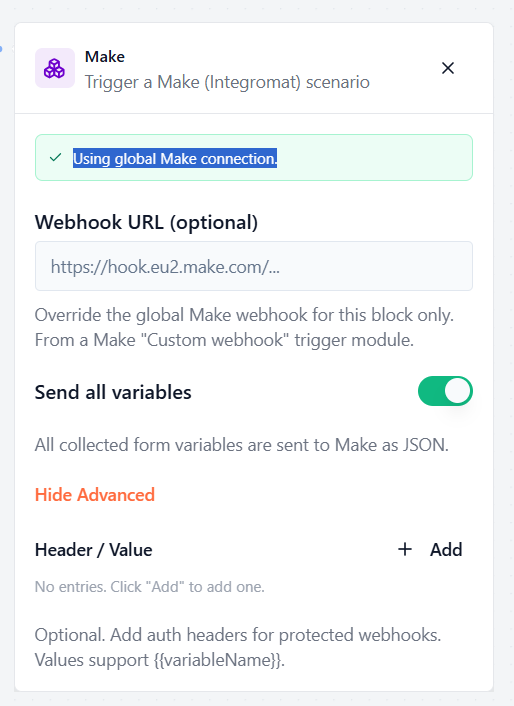
The Make Block sends form submission data to your Make scenario when a user reaches this block in the form flow.
If you have already configured a Global Make Connection, Formgic will use it automatically. You can also specify a different webhook URL for this block if you want to send the data to another Make scenario.
Webhook URL (Optional): By default, the Make block uses the Global Make Connection configured in Integrations → Make.
If you want this block to send data to a different Make scenario, enter a Webhook URL in this field. This will override the global webhook for this block only.
Note: Leave this field empty to use the global Make webhook.
Send All Variables: Enable this option to send all collected form variables to your Make scenario as a JSON payload. When disabled, only the variables you configure will be sent.
Header / Value: Use this section to add custom HTTP headers to the webhook request. Headers are typically used when the destination webhook requires authentication or additional information before accepting the request.
Note: This option is optional. Most Make Custom Webhook modules do not require authentication headers. Only add headers if your webhook or workflow specifically requires them.